

Accurate, efficient stocktakes are impossible without the right label scanning tools. Choosing the best barcode scanner for your business means looking beyond price and brand names and focusing on how the device fits your workflows, environment, and existing systems. The right scanner helps you count faster, reduce errors, and keep inventory data up to date across warehouses, retail floors, and back-of-house storage.
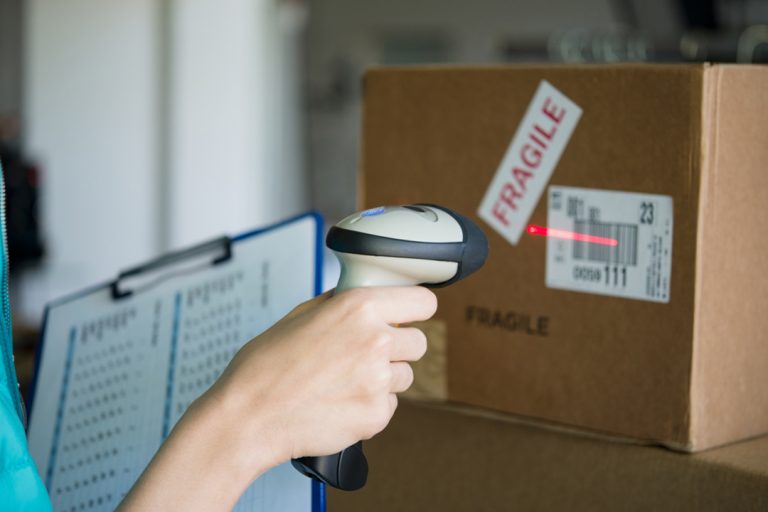
Why Label Scanners Matter for Stocktakes
Stocktakes rely on fast, error-free data capture so teams can move through shelves and pallets without constant manual corrections. A good barcode scanner reader turns every label into a reliable data point, feeding information straight into your inventory or POS system instead of relying on manual entry. This reduces miscounts, improves stock accuracy, and supports better purchasing and replenishment decisions over time.
Step 1: Understand Your Stocktake Environment
Before comparing models, start with where and how you will use your scanner. Consider whether staff are scanning on a shop floor, in a warehouse, in cold rooms, or outdoors at loading docks during stocktake. This context helps determine whether you need rugged devices, extra-long-range scanning, or wireless mobility for moving between aisles and storage areas.
If you are scanning at height or across wide aisles, you may need a device that can easily read barcode scanner labels from several metres away. For dusty or harsh environments, look for IP-rated, drop-tested scanners that can handle knocks, temperature fluctuations, and daily wear during intensive stocktake periods.
Step 2: Choose Between Handheld, Mobile, and Fixed Scanners
Most businesses conducting stocktakes rely on handheld barcode scanners because they offer flexibility and are easy to train staff to use. Handheld units can be corded (tethered to a computer or POS) or cordless, allowing staff to walk through aisles freely without cables getting in the way. Cordless devices are especially helpful when scanning high shelves or tight corners where laptops and terminals are not practical.
For larger operations, mobile computers with integrated scanners may be more efficient, especially if staff need to check stock information on-screen while scanning. Fixed-mount scanners are less common for stocktake but can be used at packing or receiving stations when items pass through a specific point during counting or reconciliation.
Step 3: Check Compatibility with Your Systems
No matter how powerful a scanner is, it must work smoothly with your existing software and hardware. Confirm that the barcode scanner supports your POS, warehouse management, or inventory software, ideally through standard interfaces like USB, Bluetooth, or keyboard wedge emulation. Many scanners are “plug-and-play,” acting like a keyboard and sending scanned data directly into any active text field.
If your system supports configuration, you may want scanners that can send prefixes, suffixes, or special characters to match your data formats. When buying a barcode scanner online, always check supported operating systems (Windows, macOS, Android, iOS) and whether the device can integrate with any stocktake or mobile counting apps you already use.
Step 4: Consider Symbologies and Scan Performance
Not all labels are the same, and your scanner needs to read every code you use now and might adopt later. Ensure the device supports all required symbologies, such as EAN/UPC for retail products, Code 128 or Code 39 for internal labels, and possibly 2D codes like QR if you are using more detailed label formats. A capable barcode scanner reader should decode damaged, low-contrast, or curved labels reliably, especially during fast-paced stocktakes.
Scan performance also matters when staff are scanning thousands of items in one session. Look for fast scan engines, wide scan angles, and devices that offer clear feedback (beep, vibration, and LED indicators), so team members know when a code has been captured successfully, even in noisy environments.
Step 5: Pick the Right Connection Type
Connection type directly affects flexibility during stocktakes. USB-wired scanners are simple and reliable for static counting at a counter or desk, but limited range. Bluetooth scanners provide mobility within a set radius of a base station or computer, ideal for mid-sized stores and warehouses. Some models also store scans offline, syncing when back in range, which is handy when moving between back rooms or mezzanines.
If staff are using tablets or smartphones for stocktake, confirm that the chosen barcode scanner pairs easily with mobile devices. Some operations instead opt to use phone cameras with scanning apps, but dedicated scanners typically offer faster, more accurate reads and better ergonomics for long sessions.
Step 6: Match Durability to Usage
For light, occasional stocktakes in retail, entry-level scanners can be sufficient, provided they offer reasonable drop resistance. However, frequent, large-scale counts in warehouses or distribution centres call for industrial-grade units with higher drop ratings and protection against dust and moisture. These devices tend to last longer and provide better total cost of ownership despite higher upfront prices.
Look at the manufacturer’s stated drop height, IP rating, and warranty. If your team performs rolling stocktakes or cycle counts daily, choosing a more robust scanner reduces downtime and replacement costs over time.
Step 7: Evaluate Ergonomics and Ease of Use
Comfort is crucial during long counting sessions. A well-designed barcode scanner should feel balanced in the hand, with an easy-to-press trigger and clear feedback indicators visible from different angles. Lightweight designs reduce fatigue, especially for staff scanning at shoulder height or above for extended periods.
Also consider training time. Intuitive scanners with simple configuration and automatic aiming help new users become productive quickly. If your team includes casual or seasonal staff, straightforward operation becomes even more important during busy stocktake periods.
Step 8: Plan Your Budget and Total Cost of Ownership
Price is important, but it should be weighed against performance, durability, and lifespan. Cheaper scanners may be tempting when purchased in bulk, but if they fail quickly or slow down staff due to misreads, the hidden costs can outweigh initial savings. Look at how many stocktakes you perform per year, the number of devices you need, and potential productivity gains from faster, more accurate scanning.
When buying a barcode scanner online, factor in accessories such as stands, cradles, charging docks, and spare batteries. Also consider whether firmware updates and technical support are available, as this can extend the life of your devices and keep them compatible with evolving systems.
Practical Tips Before You Buy
Before making a decision, arrange a trial or demo if possible so you can test how well the scanner works with your actual labels and software. Try scanning faded, wrinkled, or very small barcodes to see how forgiving the device is in real stocktake conditions. Ask staff who will use the scanners to provide feedback on comfort and ease of use.
Document your key requirements (environment, symbologies, connection type, durability, and budget) and use them as a checklist when comparing models or reading reviews for a barcode scanner online. This structured approach helps narrow your options and ensures the final choice supports faster, more accurate stocktakes.

Bringing It All Together
Choosing the best label scanners for your stocktake needs is about aligning device capabilities with your environment, systems, and workflows rather than chasing the most expensive or feature-heavy model. By focusing on compatibility, scan performance, ergonomics, durability, and total cost of ownership, you can select barcode scanners that simplify every stocktake and keep your inventory data reliable all year round.